Quickstart
Connect GitHub and Linear, create a factory from a template, start a run, approve its plan and merge the pull request it opens.
On this page
This guide takes you from an empty workspace to a merged pull request written by an agent. It takes about 15 minutes, most of it spent waiting for the agent. You need a Duun workspace where you’re an Admin, a GitHub repository you can install apps on, and a Linear team (GitHub Issues works too).
1. Connect GitHub and Linear
Agents read your code and open pull requests through GitHub. Issues come from Linear.
- Open Settings → Integrations & MCP.
- Find GitHub and choose Connect. Install the Duun app on your organisation and pick the repositories agents may use.
- Find Linear, choose Connect and approve access on linear.app. You come straight back to Duun.
- For both, set Who can use it to Whole workspace so every factory can use the connection.
Read access is always granted. Write access (creating issues, posting comments) can be turned on per integration, and each write still follows Action approvals. Slack is optional but useful: with it, asks older than 15 minutes reach you there. See Connect GitHub, Linear and Slack.
2. Create a factory from a template
- Open Factories in the sidebar and choose New factory.
- On Template, pick Ship features: an issue in Ready goes through plan, approve, build, test, review and merge.
- On Basics, name the factory (for example “Platform”), pick the repository you connected and, optionally, a project.
- Leave Workflow as it is for now. You can edit every step later.
- On Triggers, turn on Linear with your team and the label
ready. Manual runs are always available. - On Guardrails, keep Ask for writes and a small budget per run.
- On Review & create, choose Create factory.
The factory starts paused until its first run, so nothing happens the moment you create it. Build your first factory explains each step of the wizard in detail.
3. Start a run
You can start a run from a labelled issue or by hand. For your first run, start it by hand so you can watch.
- Press C anywhere in the app, or choose New run in the sidebar.
- Pick your factory, then either paste a Linear issue link or describe the change, for example “Add a
/healthzendpoint that returns the git SHA”. - Check the estimate under the prompt. It shows the expected cost range and the cap that will apply.
- Start the run.
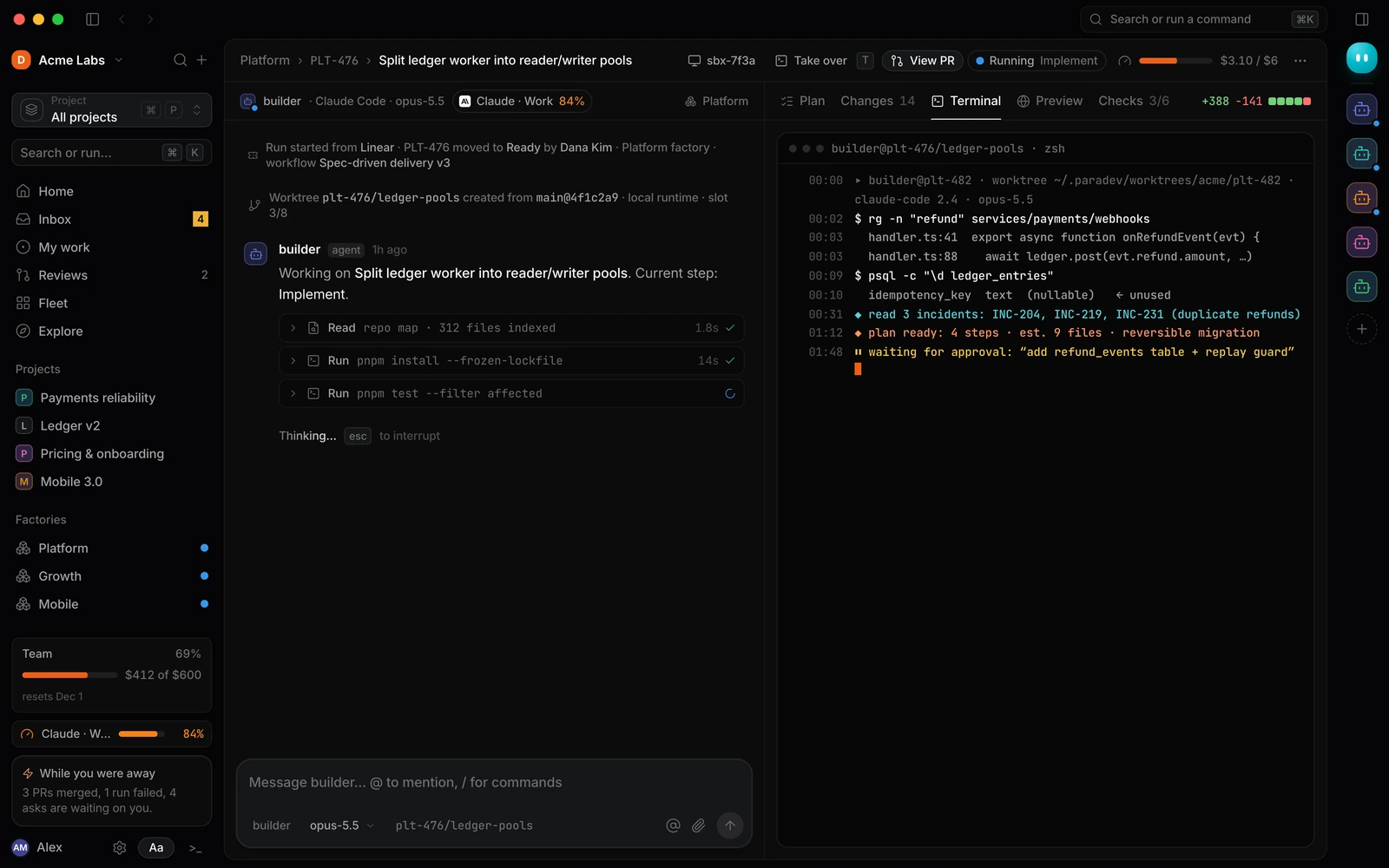
The run opens with the agent’s conversation on one side and tabs on the other. The builder agent reads the repository and the issue, then writes a plan.
4. Approve the plan
With the template’s default guardrails, the plan is the first thing that needs you. It shows up in the Inbox as Approve the plan.
- Open Inbox (G then I).
- Read the plan: the problem, the approach, the numbered steps and what’s out of scope.
- Choose Approve plan (⌘ ↵), or Request changes and say what to change.
After approval, the agent implements the plan in its own worktree. If it wants to run a command your rules don’t allow, you get an Allow a command ask. Approve it with Allow once, or add a command rule so it doesn’t ask again. See Approve a plan and Allow a command.
5. Review and merge
When tests pass and the reviewer agent has done a first pass, the run opens a pull request and asks you to Review pull request.
- Open the ask from the Inbox, or the run’s Changes tab.
- Read the diff and the Checks. Use Preview if the change has one.
- Choose Approve & merge, or Request changes with a note. The agent picks up your note and pushes a fix.
The run finishes as succeeded once the pull request merges. The factory’s Report tab starts counting PRs merged and cost per PR. See Review and merge.
From the terminal (Preview)
You can do the same from a terminal with the duun CLI. Install it with Node 22 or later:
npm install -g @duun/clipnpm add -g @duun/cliSign in, then start a run on your factory and follow it:
duun login
duun factories list
duun run "Add a /healthz endpoint that returns the git SHA" --factory fac_platform --watch
--watch streams the run’s progress and prints a link when an ask is waiting. Approvals still happen in the Inbox, where you can see the plan and diff. The CLI reference lists every command.
Next steps
- How Duun works: the concepts behind what you just did.
- Step kinds reference: change what the workflow does.
- Triggers: start runs from labels, alerts, schedules or webhooks.
- Permissions and approvals: decide what agents may do without asking.